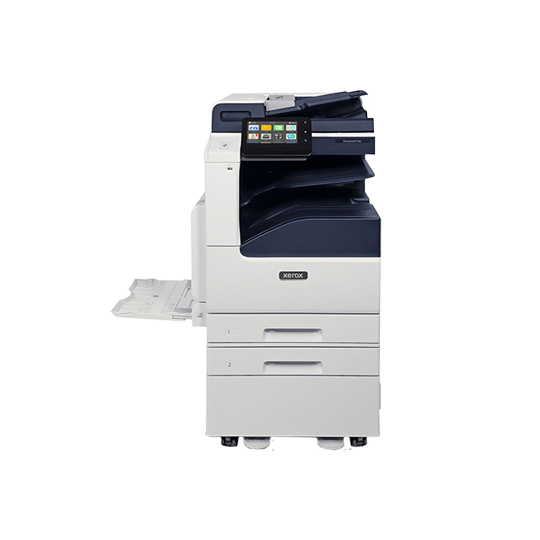
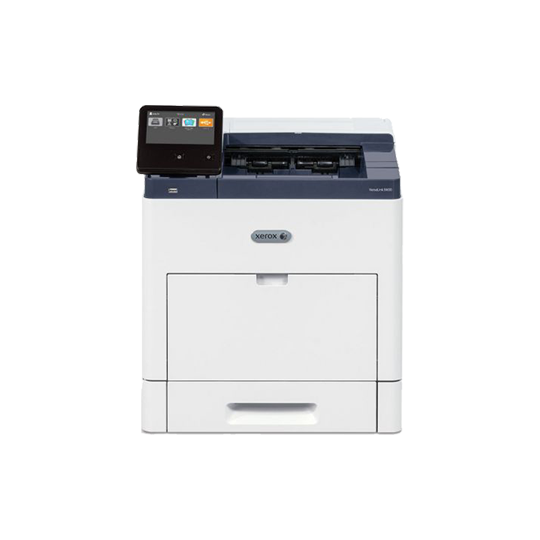
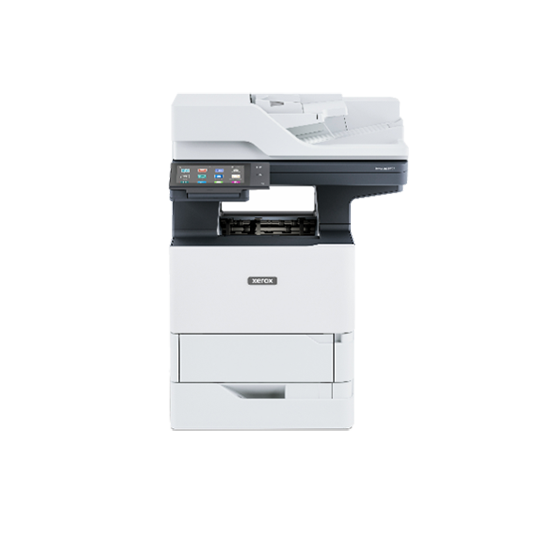
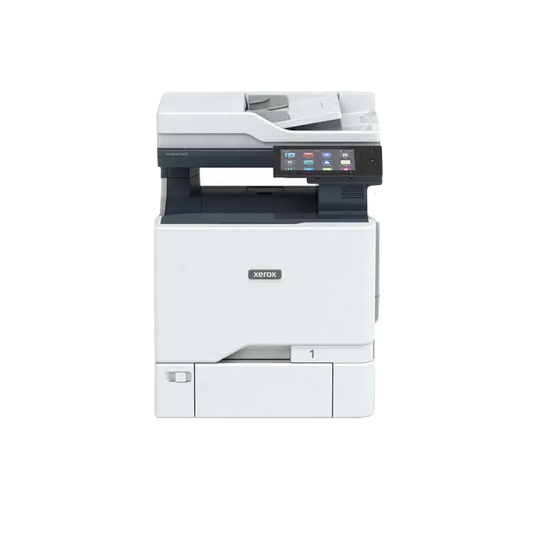
Xerox VersaLink B605
The Xerox VersaLink B605 is a fast, fully featured black-and-white multifunction printer designed for efficient information sharing and streamlined workflows in any setting. This cloud-connected device offers advanced capabilities at a competitive price.
Installation is simple with IT-free wizards and step-by-step configuration. The device features improved reliability with fewer moving parts, durable paper path components, and an advanced Hi-Q LED print head. Scan and Fax Preview functions support data accuracy, while built-in optical character recognition (OCR) increases productivity. Security features such as Secure Print and card authentication protect your data and control access.
A customizable 7-inch color touchscreen allows intuitive navigation using familiar gestures. The device includes Xerox ConnectKey Apps to enhance office efficiency, and the Xerox App Gallery provides direct access to additional tools such as Xerox Easy Translator Service.
Xerox VersaLink B605 Specs
The Xerox VersaLink B605 color multifunction printer is a testament to Xerox’s commitment to innovation and excellence.

Engine Speed
Color: up to 70 ppm
Black: up to 75 ppm

Print Resolution
Up to 1200 x 1200 dpi

Monthly Duty Cycle
Up to 300,000 pages/month

Time to first print
Why Choose BDS as Your Xerox Print Partner?
As your technology partner, BDS helps you identify and eliminate your office technology pain points before they become a problem. Our support is guaranteed.
BDS is an authorized office technology provider/reseller with corporate headquarters in Marlborough, MA, and offices throughout New England and Florida. We specializing in printer and copier leasing.
We’ve been supporting local customers since 1978 in Massachusetts, Connecticut, Rhode Island, New Hampshire, Vermont, Maine, and Florida.
VIDEO: Black and White Xerox Printers Laser Printers - Cheaper than Color?
First-print-out Time
As fast as 4.0 seconds
Print Resolution
Up to 1200 x 1200 dpi
Page Description Languages
PCL® 5e, 6
PDF
XPS
TIFF
JPEG
HP-GL
Adobe® PostScript® 3™
Maximum Print Area
4 mm from Lead edge of paper, 2 mm from Side and Trail edges of paper
Print Features
Application Defaults
Banner Pages Enable/Disable
Bi-directional Real time Status
Booklet Layout
Draft Mode
Fit to New Paper Size
Job Identification (Print ID or Banner, Print ID in margins on first page only or all pages)
Job Monitoring (Client or Local User Interface)
LAN Fax (requires Fax Kit)
N-up Page Layout (up to 16 pages per sheet)
Paper Selection by Attribute
Personal Print
Print Around Enable/Disable
Print from USB
Sample Set
Saved Job
Scaling
Secure Print
Skip Blank Pages
Special Pages (exception page programming: covers, inserts, exceptions pages)
Store and Recall Driver Settings
Stored Jobs Deletion
Two-sided Printing (as default)
Watermark (predefined and custom)
Xerox® Earth Smart Driver Settings
Print from USB
Allows walk-up printing from Type A USB port
Supports direct printing from computer via Type B USB port
Supported file formats: PDF, JPEG, TIFF, XPS, PDF/A
Xerox® VersaLink® B605 Multifunction Printer
Page 4 of 11
Operating Systems
Windows® 7, 8, 8.1, 10, 11
Windows Server 2008 SP2, Server 2008 R2 SP1, Server 2012, Server 2012 R2, Server 2016
macOS® 10.11, 10.12, 10.13, 11, 12
Citrix®
Redhat® Enterprise Linux®
Fedora Core
IBM® AIX®
HP-UX®
Oracle® Solaris
SUSE®
SAP®
Note: For information about supported versions for the above operating systems, please visit our
Drivers & Downloads page and specify your device at www.support.xerox.com
Fonts PostScript fonts: 136
PCL fonts: 83
Xerox® Global Print Driver®
A truly universal print driver that lets IT administrators install, upgrade, and manage non-Xerox and Xerox® Devices from a single driver. It provides a consistent, easy-to-use interface for end-users, reducing the number of support calls and simplifying print services management.
Xerox® Pull Print Driver
Makes it easy for IT managers to qualify, deploy, and manage all print devices using a single driver in a Pull Print environment. Uses a single queue and driver. The Xerox® Pull Print Driver extends convenience across a broad range of printing assets. IT administrators no longer need to manage and configure multiple drivers. Used in conjunction with Equitrac Office®, Ysoft® SafeQ®, Pharos® and others.
Document Scanner
100-sheet Single-pass Duplex Automatic Document Feeder (DADF)
Maximum Scan Area
Platen: Up to 8.5 x 14 in./215.9 mm x 355.6mm
DADF: Up to 8.5 x 14 in./215.9 mm x 355.6mm
Simplex Copy Speed
Up to 58 cpm (copies per minute), 8.5 x 11 in., black-and-white
Duplex Copy Speed
Up to 52 cpm, 8.5 x 11 in., black-and-white
First-copy-out Time
As fast as 5.2 seconds
Sides (input:output)
1:1, 1:2, 2:2, and 2:1
Quantity
1 to 999
Resolution (max.)
Up to 600 x 600 dpi
Reduction/Enlargement
Variable zoom from 25% to 400% in 1% increments
Concurrency
Concurrent scanning and printing
Copy Features
Annotation (Page Numbers, Comments, Date Stamp, Bates Stamping) including font format and style options
Automatic Background Suppression
Book Copying with Center Erase
Booklet Copying
Collation
Darkness Control
Edge Erase
Front Cover
ID Card Copy
Image Enhancement
Image Shift
Lighten/Darken
N-up
Original Orientation
Original Size
Original Type
Page Layout
Reduce/Enlarge 25% to 400%
Sample Copy
Saturation
Sharpness
Capability
Black-and-white and color scanning
Concurrency
Scan while the system is printing copy or network print jobs, or while it is transferring scan to network or fax jobs
Simplex Input Speed
Black-and-white: Scan up to 58 ipm (images per minute) – 8.5 x 11 in./215.9 x 279.4 mm/55 ipm A4
Color: Scan up to 55 ipm – 8.5 x 11 in./215.9 x 279.4 mm/52 ipm A4
Duplex Input Speed
Black-and-white: Scan up to 58 ipm (images per minute) – 8.5 x 11 in./215.9 x 279.4 mm/55 ipm A4
Color: Scan up to 55 ipm – 8.5 x 11 in./215.9 x 279.4 mm/52 ipm A4
Resolution
600 x 600 dpi
Bit Depth
24-bit color/8-bit grayscale
Maximum Scan Area
Platen: Up to 8.5 x 14 in./215.9 x 355.6 mm
Document Feeder: Up to 8.5 x 14 in./215.9 x 355.6 mm
Network Filing Protocols
FTP
SMTP
SMB
sFTP
File Formats
JPG
TIFF (single and multi-page)
XPS (single and multi-page)
PDF (single and multi-page)
Searchable PDF via Optical Character Recognition (OCR)
Password-protected PDF
Linearized PDF (set via embedded web server) and PDF/A
Scan Driver Compatibility
WIA
TWAIN
Supported Scan Destinations
Scan to Home
Scan to USB
Scan to Email
Scan to Network (FTP or Browse SMB)
Security Features Access Controls
AES 256-bit Encryption
Audit Log
Certificate Path Validation
Certificate Revocation List (CRL)/Status Protocol (OCSP)
Cisco® Identity Services Engine (ISE) Integration
Detection of External Program Falsification (XCP Plug-in)
Domain Filtering
FIPS 140-2
Firmware Verification
Immediate Disk Overwrite
IP Address Filtering
IPsec
Network Authentication
Port Filtering
Pre-installed Self-Signed Certificates
Role-based Permissions
Secure Email
Secure Fax
Secure Print
Secure Scanning via SFTP
Security Certificate Management
Smart Card Enablement (CAC/PIV/.NET)
SNMPv3
Status Protocol (OCSP)
TLS 1.3/SSL
Trusted Platform Module (TPM)
Which is Better for my Business, Buying or Leasing a Xerox Printer?
Leasing Xerox printers through BDS provides several advantages, including cost savings, access to cutting-edge technology, and simplified maintenance and support. Our Xerox printers, services, and solutions are designed to deliver cost savings, enhance efficiency, and empower businesses to remain competitive.
Xerox VersaLink Printers that are Certified Pre-Owned
Are you on a budget? With our high-quality service and financing terms tailored to your financial needs, you can purchase or lease previously owned Xerox equipment at an attractive price. Our Certified Pre-Owned Xerox copiers are clean inside and out, free of scratches, dents, scuffs, and dings, as much as we can make them.