Discover how to choose the best all-in-one printer for small business needs. Learn the differences between inkjet and laser printers, explore cost effective features, improve home office productivity, and find reliable models with advanced security features and high-quality color prints.
Choosing the best all-in-one printer for small-business needs can be difficult when the market is packed with options. Many owners want fast printing, dependable scanning, lower operating costs, and reliable performance in one compact device. A modern office also needs flexible wireless tools, mobile printing support, and strong security features that protect business data. The right machine can improve productivity, reduce waste, and simplify daily tasks for a growing team.
Small companies often operate with limited budgets. That is why many buyers search for a cost-effective solution that balances quality with long-term value. Some businesses print contracts and invoices every day, while others need bright marketing materials and sharp color prints for presentations. A printer that can handle multiple jobs without slowing down becomes an important part of the workplace.
Why an All-in-One Printer Matters
An all-in-one printer combines printing, scanning, copying, and sometimes faxing into one unit. Instead of buying several devices, small businesses can save space and reduce maintenance costs. These printers fit well in a home office, retail store, startup workspace, or shared office environment.
The biggest advantage is convenience. Employees can print reports, scan signed paperwork, and make copies without switching between different machines. Many modern devices also support cloud storage and smartphone printing. This flexibility helps remote workers and hybrid teams stay productive.
Another important benefit is energy efficiency. Newer models use less electricity and offer automatic sleep modes that lower power usage. Businesses trying to reduce overhead costs often appreciate these features because small savings add up over time.
Inkjet and Laser Printers Compared
Many buyers struggle when choosing between inkjet and laser technology. Both have strengths, and the right option depends on the type of work your business handles every day.
An inkjet printer is usually the better choice for businesses that print photos, graphics, and detailed color prints. Inkjet machines produce smooth gradients and vivid colors, making them useful for creative work, brochures, and promotional materials. They are also often smaller and easier to place in a home office.
A laser printer works best for high-volume document printing. Laser models produce crisp text quickly and usually have lower per-page printing costs. Businesses that print large batches of invoices, forms, or shipping labels may prefer laser technology because it handles heavy workloads efficiently.
Some companies compare inkjet and laser devices before making a final decision. Inkjet models often cost less upfront, while laser printers may provide better long-term savings for businesses with large monthly print volumes. Understanding your daily workflow can help narrow the decision.
Features Small Businesses Should Prioritize
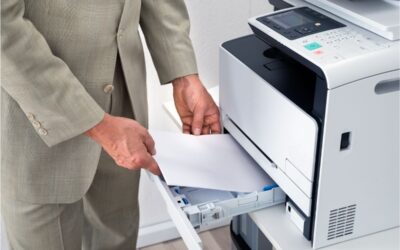
Speed matters in a busy workplace. A slow printer can delay meetings, customer orders, and internal operations. Look for a model with fast print speeds and an automatic document feeder. This feature allows users to quickly scan, copy, or fax multiple pages.
Wireless connectivity is another essential feature. Most modern all-in-one printers support Wi Fi, Apple AirPrint, and mobile apps. Employees can print directly from phones, tablets, and laptops without connecting cables. This flexibility is especially useful for hybrid work environments.
Paper handling capacity is equally important. Businesses that print often should choose a printer with larger paper trays. A higher monthly duty cycle also improves reliability for demanding workloads.
Security features should never be ignored. Cybersecurity threats affect businesses of every size. Many advanced printers include password protection, encrypted connections, and secure print release functions. These tools help protect confidential client records and financial documents from unauthorized access.
Operating costs also deserve close attention. Some printers use high-yield cartridges that reduce the cost per page. Others offer subscription ink services that automatically ship replacement cartridges when supplies run low. Comparing long-term expenses rather than just the purchase price can prevent budget problems later.
Best Printer Types for Different Workspaces
A compact printer may work perfectly for a solo entrepreneur working from a home office. Smaller devices fit neatly on desks and still offer excellent scanning and wireless printing. Freelancers, consultants, and online sellers often choose compact units because they are practical and affordable.
Larger businesses may need more advanced paper handling and faster printing speeds. Departments that print hundreds of pages each week benefit from higher capacity models designed for continuous use. These printers often include dual paper trays, advanced touchscreen controls, and stronger internal components.
Creative businesses should prioritize high-quality images. Marketing agencies and design firms often need high-quality color printing for presentations and promotional materials. Inkjet devices often perform very well in these environments because they handle graphics with impressive accuracy.
Popular Choices for Small Business Printing
The HP OfficeJet Pro series remains one of the most recognized choices for small business owners. These printers are known for reliable wireless printing, high-quality output, and useful mobile features. Many models also include smart apps that simplify scanning and remote management.
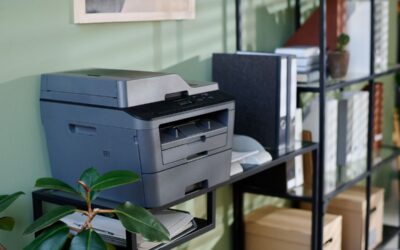
Brother laser printers are another popular option for businesses that focus on document printing. They often deliver fast output speeds and low operating costs. Many users appreciate their reliability during high-volume printing tasks.
Canon and Epson also offer strong all-in-one options for small companies. Epson EcoTank models attract buyers who want lower ink replacement costs because they use refillable tanks instead of standard cartridges. Canon printers are often praised for producing vibrant color prints and sharp images.
Maintenance and Long-Term Reliability
Even the best all-in-one printer for small business use requires regular maintenance. Cleaning print heads, updating firmware, and using high-quality paper can improve performance and extend the machine’s life. Businesses should also monitor toner or ink levels before important projects begin.
Reliability becomes especially important during busy seasons. A printer failure can interrupt operations and delay customer service. Reading customer reviews and checking warranty coverage can help buyers avoid unreliable models.
Support services matter as well. Some manufacturers offer live chat, remote troubleshooting, and next-business-day replacement plans. Fast support reduces downtime and helps teams return to work quickly.
Conclusion
Finding the right all-in-one printer requires balancing speed, quality, efficiency, and operating costs. Some businesses need vibrant graphics and flexible mobile tools, while others prioritize high-speed text printing and lower page costs. Understanding your printing habits makes the selection process much easier.
A reliable printer should support daily business operations without constant maintenance problems. Whether you choose an inkjet printer for detailed graphics or a laser printer for heavy document production, the best option is the one that matches your workload and budget. Businesses that compare features carefully can invest with confidence and improve productivity for years to come.
Many business owners also overlook software integration when shopping for a printer. The best models connect smoothly with accounting platforms, cloud storage systems, and project management tools. This can reduce manual work and improve document organization across departments. Teams that frequently share files benefit from printers with searchable PDF functions and automatic cloud uploads. These tools save time and support better collaboration between employees working in different locations.
Noise levels can also affect the workplace experience. A loud machine may become distracting in a small office or customer-facing environment. Many modern printers now include quiet operating modes that reduce sound during large print jobs. Buyers should also consider touchscreen controls and easy setup features. A simple interface lowers training time and helps employees solve small problems without technical support. When ease of use, reliability, and operating costs come together, a business can gain real value from a single device.
Carefully reviewing warranty terms, replacement part availability, and monthly duty cycle recommendations can prevent downtime and help businesses choose equipment that remains dependable as operations continue growing.
Frequently Asked Questions
What is the best all-in-one printer for small business use?
The best choice depends on your printing volume, budget, and workspace. Businesses that print large numbers of documents often prefer laser models, while creative teams may benefit more from inkjet printers with strong color quality.
Are inkjet printers good for a home office?
Yes. Many inkjet printers are compact, affordable, and capable of producing high-quality color prints. They work well for remote workers, consultants, and small teams with moderate printing needs.
Which is better, inkjet or laser printing?
Inkjet and laser technologies both offer advantages. Inkjet devices are excellent for images and graphics, while laser printers are usually faster and more economical for high-volume text printing.
Why are security features important in printers?
Modern printers connect to wireless networks and cloud services. Strong security features help protect customer data, financial information, and confidential business documents from cyber threats.
How can I reduce printing costs for my small business?
Choose high-yield cartridges, enable duplex printing, and select a printer designed for your expected monthly volume. Cost-effective printers with efficient ink systems can significantly reduce long-term expenses.