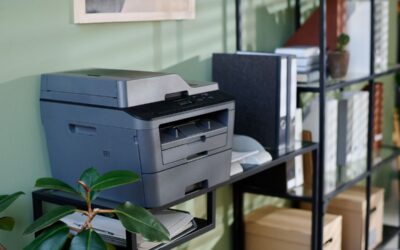
Finding the best all-in-one laser printer for small-business use can improve your workflow, reduce costs, and save time every day. Small businesses need printers that are fast, reliable, and easy to use. A good all-in-one model can print, copy, scan, and fax from one machine.
Today’s laser printers also include wireless printing, cloud support, and advanced security features. These tools help businesses work faster while protecting sensitive information.
This guide explains what to look for in a business printer and reviews some of the top choices available today.
Why Small Businesses Choose Laser Printers
Many small businesses prefer laser printers over inkjet models. Laser printers are faster and usually cost less to operate over time. They also produce sharp text and professional-looking documents.
Businesses that print invoices, contracts, reports, or shipping labels often benefit from laser technology. Toner cartridges also last longer than ink cartridges. This reduces downtime and supply costs.
Another major advantage is speed. Many laser printers can print more than 30 pages per minute. This helps employees finish jobs quickly and stay productive.
What Is an All-in-One Laser Printer?
An all-in-one printer combines several office tools into one device. Most models include:
- Printing
- Copying
- Scanning
- Faxing
Many businesses like these machines because they save space and reduce clutter. Instead of buying separate devices, you can manage everything from one printer.
Modern all-in-one laser printers also support wireless printing and mobile apps. Employees can print from laptops, tablets, and smartphones with ease.
Important Features to Consider
Before buying the best all-in-one laser printer for small business use, compare the features that matter most.
Print Speed
Fast printing helps offices stay efficient. Print speed is measured in pages per minute. Small businesses should look for a printer that can produce at least 25 to 35 pages per minute.
If your office prints large volumes each day, choose a model with a higher monthly duty cycle.
Scan Fax Functions
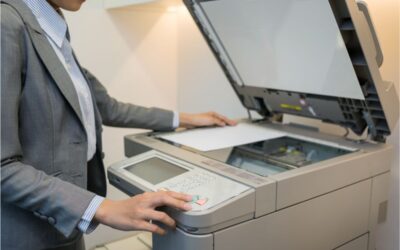
Many businesses still rely on scanning and faxing tools for contracts, healthcare forms, and legal paperwork. A quality all-in-one printer should include both scanning and faxing features.
Automatic document feeders can save time when scanning multiple pages. Duplex scanning is also useful because it automatically scans both sides of a document.
Wireless Connectivity
Wireless printing is now a standard feature in most offices. Wi-Fi support allows employees to print from different devices without connecting cables.
Many printers also support:
- Apple AirPrint
- Mopria
- Google Cloud printing tools
- Mobile printing apps
Cloud integration makes it easier to share files with remote teams.
Security Features
Security features are now very important for businesses. Printers often store confidential information, including employee records, financial files, and customer data.
Modern laser printers may include:
- Secure PIN printing
- User authentication
- Encrypted data transfer
- Firmware protection
- Network monitoring
These security features help protect businesses from cyber threats and unauthorized access.
Best All-in-One Laser Printer for Small Business Options
There are many excellent laser printers on the market today. Some stand out because of their reliability, print quality, and business-friendly features.
Brother HL-L2460DW
The Brother HL-L2460DW is a popular option for small offices that mainly print black-and-white documents. It offers fast printing speeds and dependable performance.
This printer includes:
- Automatic duplex printing
- Wireless connectivity
- Compact design
- Low operating costs
The Brother HL-L2460DW is a good fit for home offices and small workspaces. It is easy to set up and simple to maintain.
Businesses that need affordable monochrome printing often choose this model because it delivers consistent results.
HP Color LaserJet Pro
The HP Color LaserJet Pro series is another strong choice for small businesses. These printers are designed for offices that need both color and monochrome printing.
Most models include:
- Print, copy, scan fax functions
- Wireless printing
- Touchscreen controls
- Mobile app support
- Cloud integration
An HP Color LaserJet Pro printer works well for presentations, brochures, and customer-facing materials. The color quality is sharp and professional.
Many models also include advanced security features to help protect sensitive business information.
Canon ImageCLASS Series
Canon ImageCLASS printers are known for their strong scanning performance and ease of use. These all-in-one systems are ideal for businesses that frequently scan documents.
Popular features include:
- Duplex scanning
- Wireless networking
- Large paper trays
- Fast printing speeds
Canon printers are also energy efficient, which can help reduce office power costs.
Why Security Features Matter
Many business owners focus on speed and print quality but overlook printer security. This can create risks for the company.
A connected printer can become a target for hackers if it is not protected properly. Sensitive files may be exposed through unsecured devices.
Security features help reduce these risks. Secure print release prevents unauthorized users from collecting confidential documents. Firmware protection also helps stop malware attacks.
Businesses should also:
- Change default passwords
- Update firmware regularly
- Limit printer access when needed
These simple steps can significantly improve office security.
How All-in-One Printers Improve Productivity
An all-in-one printer helps businesses work more efficiently. Employees can complete several tasks on a single device instead of switching between multiple machines.
This saves time during busy workdays. It also reduces equipment costs and simplifies maintenance.
For smaller offices, an all-in-one laser printer is especially useful because it saves space while providing full office functionality.
Cost Factors to Consider
The purchase price is only part of the total cost. Businesses should also compare:
- Toner prices
- Maintenance costs
- Energy usage
- Warranty coverage
Some low-cost printers may have expensive toner replacements. High-yield toner cartridges can lower the cost per page over time.
Energy-saving settings are another important feature. Efficient printers use less power when idle.
Choosing the Right Printer for Your Business
Every business has different needs. A law office may need robust scanning and faxing capabilities and strong document security. A marketing company may need high-quality color printing.
Before buying a printer, think about:
- Monthly print volume
- Color printing needs
- Office size
- Security requirements
- Budget
Choosing the right model now can help avoid expensive upgrades later.
Maintenance Tips for Laser Printers
Proper maintenance helps laser printers last longer and perform better.
Here are a few simple maintenance tips:
- Clean the printer regularly
- Use approved toner cartridges
- Store paper in a dry place
- Update printer firmware
- Follow manufacturer guidelines
Regular maintenance can reduce paper jams and improve print quality.
The Future of Small Business Printing
Business printing technology continues to improve each year. New laser printers now include smarter cloud tools, stronger wireless support, and enhanced security.
Some printers can even monitor toner levels automatically and alert users when maintenance is needed.
As remote work continues to grow, cloud printing and mobile access will become even more important for small businesses.
Frequently Asked Questions
What is the best all-in-one laser printer for small business use?
The best option depends on your needs. The Brother HL-L2460DW is great for black-and-white printing, while the HP Color LaserJet Pro series works well for businesses that need color printing and scanning/faxing.
Are laser printers better than inkjet printers?
Laser printers are usually better for offices that print large volumes. They print faster, produce sharper text, and often cost less to operate over time.
Why are security features important in printers?
Security features protect confidential business information from hackers and unauthorized users. They also help secure documents stored on the office network.
Do all laser printers include scan and fax functions?
No. Some laser printers only print documents. Businesses that need scanning and faxing should choose an all-in-one model.
How long does a laser printer last?
A quality laser printer can last many years with proper maintenance. Business models are built to handle heavy workloads.
Final Thoughts
The best all-in-one laser printer for small business use should be reliable, fast, and secure. It should also fit your office size, printing volume, and budget.
The Brother HL-L2460DW is a strong choice for affordable monochrome printing. Businesses that need color output and advanced scan fax tools may prefer an HP Color LaserJet Pro model.
Modern laser printers offer much more than printing alone. Features such as wireless connectivity, cloud access, and advanced security help businesses stay productive and protected.
By carefully comparing your needs, you can choose a printer that supports your business for years to come.