
Many printer repairs can be resolved through simple troubleshooting steps like adjusting printer settings or following the guidelines outlined in the user manual.
Our print technicians outline the top printer repairs that can be fixed without a service call.
- Check the Basics: Ensure the printer is properly plugged in, turned on, and connected to your computer. Simple issues like loose cables or power interruptions can cause problems.
- Restart: Try restarting both your printer and your computer. This can resolve many minor issues.
- Check for Error Messages: If an error message is displayed on the printer control panel screen, take note of it. This can help diagnose the problem.
- Update Printer Drivers: Make sure your printer drivers are up to date. You can usually download the latest drivers from the manufacturer’s website.
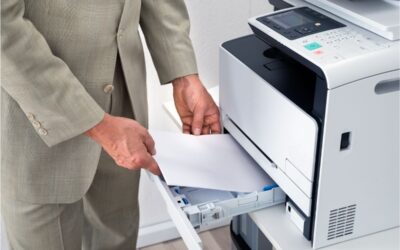
- Clear Paper Jams: If your printer is jammed, carefully remove any stuck paper. Be sure to follow the manufacturer’s instructions to avoid damaging the printer.
- Clean Printer Heads: You may need to clean the printer heads if you notice streaks or smudges on your printed pages. Consult your printer’s manual for instructions on how to do this.
- Check Ink or Toner Levels: If your prints are faded or incomplete, you may need to replace the ink or toner cartridges.
- Printer Offline: Ensure the printer is connected to the power source and turned on. Verify the USB or network cable connection between the printer and your computer or network. If your printer is connected to a network, ensure the network connection is stable, and the printer’s IP address is correctly configured. You may need to restart your router or switch.
- Firmware Update: Check if a firmware update is available for your printer. Updating the firmware can resolve connectivity issues.
Is Your Printer Still Not Working?
It’s time to call the BDS team or your print provider. More complex repairs may require professional expertise and cannot be fixed without a certified print technician. Addressing these issues promptly is essential to ensure optimal printer performance and minimize workflow disruptions.
BDS guarantees seamless business operations with dedicated copier and printer service and support across Massachusetts, Connecticut, Rhode Island, New Hampshire, Vermont, Maine, and Florida. Our committed teams strive to keep your business running smoothly by swiftly addressing any copier or printer repairs with efficiency and expertise, ensuring minimal disruption to your workflow.
Preventative Maintenance Service is Key:
Preventative printer maintenance is crucial to ensure smooth and efficient operation. Once your printer is back up and running, consider regular maintenance routines to keep it in working order. This can help avoid future issues and prolong your printer’s lifespan. BDS implements a preventative maintenance service plan for all our copier leases. We continuously monitor your printer fleet to minimize downtime.
Printers Repairs Resources?
BDS has a dedicated printer knowledge base and YouTube channel! We continue to add terrific tips and videos on maintaining your office printers.