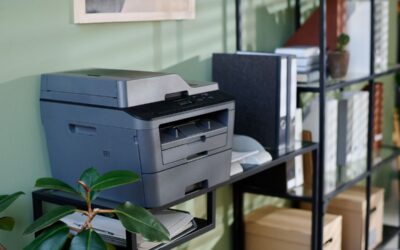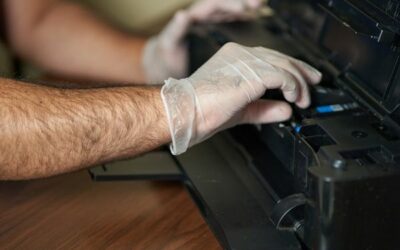

In most organizations, the terms “copier” and “printer” are used interchangeably, and in ordinary conversation, that imprecision is harmless. During a purchasing decision, however, the distinction becomes consequential because the equipment you select directly influences your operational expenses, your document workflows, and the productivity your employees surrender whenever a machine jams or requires servicing. Understanding the genuine differences between office copiers and conventional office printers allows your organization to invest appropriately the first time, rather than financing capacity that is never used.
What Is a Printer?
Every printer begins with a digital file. A document is transmitted from a laptop, mobile device, or network location, and the equipment converts it into a physical page, meaning nothing tangible exists until the print command is issued. Inkjet printers distribute liquid ink across the page and reproduce color photographs and graphics attractively, which explains their popularity among smaller organizations. A laser printer, by comparison, applies toner using heat and pressure to generate exceptionally sharp text at considerably faster speeds and a substantially lower cost per page. For a standard office producing correspondence and documentation rather than photography, a laser printer generally represents the more economical long-term investment.
What Is a Copier?
A copier reproduces a physical original. You position the document on the glass or load it into the automatic feeder, initiate the job, and the equipment duplicates it without any computer involvement whatsoever. That definition remains technically accurate, yet standalone copiers have essentially disappeared from contemporary workplaces. Modern office copiers are floor-standing, heavy-duty systems engineered for simultaneous use by entire departments, featuring exceptional durability, substantial paper capacities, high-speed page speeds, and finishing capabilities such as stapling and hole punching. When an organization declares that it requires a copier, it typically means it needs equipment capable of handling high-volume production without degrading.
Multifunction Printers: Where the Lines Blur
Multifunction printers, commonly abbreviated as MFPs, consolidate printing, copying, scanning, and, in some models, faxing within a single networked device. They have become the standard configuration across business environments because they conserve valuable floor space, consolidate supplies into a single unified toner system, and transmit scanned documents directly to cloud repositories or a document management platform. These devices are available in two general configurations: compact desktop units intended for departmental teams and floor-standing models that are, for all practical purposes, contemporary copiers. Ultimately, the terminology printed on the packaging matters considerably less than the workload the equipment was engineered to sustain.
Cost Per Page Is the Real Difference
The acquisition price communicates remarkably little about long-term expenses. A desktop printer may cost several hundred dollars, whereas a commercial multifunction system may require several thousand dollars or an ongoing monthly lease payment. Across a three-to-five-year ownership period, however, cost per page ultimately determines which investment proves superior. Desktop equipment typically consumes two to five cents per black-and-white page. In comparison, commercial systems frequently operate at one or two cents per page, with color reproduction following a similar pattern. Multiply that differential by your monthly printing volume, and the inexpensive machine regularly becomes the considerably more expensive alternative, particularly when cartridge-based inkjet printers are deployed at a significant scale.
Match the Machine to Your Printing Volume
Before authorizing any equipment purchase, your organization should carefully evaluate three fundamental questions:
- How substantial is our monthly output? For volumes of approximately 1,000 pages or less, a dependable laser printer is often sufficient, but organizations that consistently exceed that threshold find that commercial equipment justifies its expense relatively quickly.
- Do we regularly digitize documentation? If scan-to-email functionality or document management integration supports your workflows, a multifunction system becomes essential.
- Do we duplicate physical originals frequently? The identical recommendation applies.
Forcing a light-duty device rated for 1,000 monthly pages to produce 3,000 pages inevitably leads to mechanical failures, service interruptions, and escalating operational costs. A heavy-duty multifunction system rated between 10,000 and 30,000 pages operates comfortably within that range when properly maintained, delivering consistently high-quality output throughout its service life.
Frequently Asked Questions
Is a copier simply a printer with additional features?
Not exactly. Both technologies produce printed pages, but copiers incorporate substantially sturdier components, considerably larger paper capacities, and accelerated duty cycles engineered for shared, high-volume departmental usage.
Are inkjet printers ever appropriate for a business environment?
Occasionally, particularly for low-volume color reproduction, design proofs, or exceptionally small teams. For documentation-intensive organizations, a laser printer or a multifunction system operates at dramatically lower cost.
What cost per page should our organization target?
Approximately one to two cents for black-and-white reproduction and five to seven cents for color output on commercial equipment. Anything appreciably higher warrants additional investigation.
Should we purchase or lease?
The majority of businesses lease office copiers and multifunction printers because leasing arrangements consolidate equipment, service, and supplies into a single predictable monthly expense.
How do we determine our actual printing volume?
A professional print assessment extracts meter readings from your existing fleet and precisely shows how much each device costs your organization each month.
Wrapping Up: How BDS Helps You Choose Right
The copier-versus-printer question rarely yields a single universal answer because the appropriate solution depends entirely on your production volume, your document workflows, and how your employees actually operate. That is precisely where BDS contributes meaningful value. With more than four decades of industry experience, BDS delivers comprehensive sales and service on office copiers, multifunction printers, and large-format production systems manufactured by Kyocera, Canon, HP, Ricoh, Xerox, and Konica Minolta.
Our specialists evaluate your existing print environment and user behavior before recommending anything, then right-size the technology so your organization never overpays for a heavy-duty system it cannot fill, nor strains a standard office printer beyond its intended capabilities. Managed Print Services and our Fleet Management Program help you monitor supplies, reduce your cost per page, and minimize disruptive downtime. At the same time, a complimentary Preventative Maintenance Program ensures that every system we install continues to produce high-quality output year after year.
Ready to identify the appropriate solution for your organization? Request a customized quote or schedule a comprehensive print assessment today.