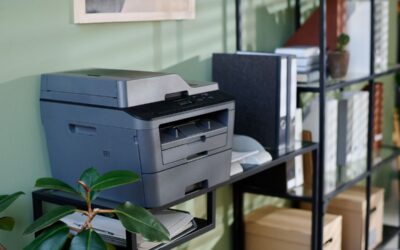
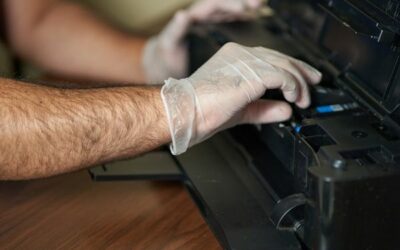
If you are searching for the best commercial printer, the right choice depends on more than speed alone. A modern printer should match your workflow, protect your documents, and keep printing costs under control. For a small business, that means balancing upfront cost, long-term supply expenses, and the ability to handle everything from invoices to marketing materials. The best models now combine mobile printing, strong security features, and enough paper trays to keep teams moving without constant refills.
What Makes the Best Commercial Printer?
The best commercial printer is one that fits the real needs of your office. Some teams need crisp text for contracts, reports, and forms. Others need color printing for proposals, signage, and client-ready marketing materials. Many offices also want multifunction printers that combine printing, scanning, copying, and faxing in one device. That saves space and simplifies daily work. According to recent reviews, high-volume offices often favor models with strong paper handling, fast output, and a low cost per page, while smaller teams may prioritize flexibility and value.
Inkjet and Laser: Which Is Better?
When comparing inkjet and laser machines, there is no single winner for every business. Laser printers are usually the better fit when you mostly print in black and white and need fast output with very sharp, consistent pages. They are a strong option for legal offices, accounting teams, and back-office departments that run large printing jobs every day. Inkjets, especially business-class models, tend to shine when color printing matters and when you want lower printing costs over time from refill systems or high-yield ink supplies. The right decision depends on your print mix, monthly volume, and document type.
Why Epson EcoTank and HP OfficeJet Pro Get So Much Attention
Two names often appear in business printer conversations: Epson EcoTank and HP OfficeJet Pro. Epson EcoTank models are popular because they offer very high yield output and low running costs, making them appealing for teams that print a lot each month. Several recent guides highlight the EcoTank Pro ET-5850 as a top choice for busy offices because it combines strong print quality, good speed, and affordable long-term operation. HP OfficeJet Pro devices remain attractive for offices that want easy setup, smart software, and dependable color output for everyday business use. Both product families offer multifunction printers with scanning, copying, and faxing features, but the better fit depends on your page volume and budget priorities.
Features That Matter Most for a Small Business
For many buyers, the best commercial printer is not the one with the biggest spec sheet. It is the one that removes friction from daily work. Start with paper trays. A larger tray, or dual trays, means fewer interruptions when staff switch between letterhead, plain paper, and specialty stock. Next, consider mobile printing so employees can send printing jobs from phones, tablets, and laptops without extra steps. Security features are also essential, especially if you handle payroll, contracts, customer data, or internal plans. Secure access controls, network protection, and admin tools help reduce risk while keeping your printer easy to manage.
Print quality matters just as much as convenience. If you mostly create forms, letters, and reports, prioritize crisp text and a dependable black output. If you also produce brochures, handouts, and other marketing materials, then high-quality printing and solid color performance become more important. Some offices need one machine that can handle both. In those cases, a business-class color device with reliable duplexing, good media support, and steady output can offer the best value. This is where comparing real-world reviews, not just manufacturer claims, becomes helpful.
Look Beyond the Upfront Cost
One of the biggest mistakes a small business can make is choosing a printer solely on upfront cost. A lower purchase price can be tempting, but it may lead to higher printing costs over time if cartridges run out quickly or maintenance is frequent. That is why high-yield systems are so important. Devices with refillable tanks or extra-large toner options often cost more at first, yet save money over the life of the printer. If your team prints hundreds or thousands of pages each month, the total cost of ownership matters more than the sticker price.
For example, offices that mostly print in black and white may find laser printers more efficient because toner lasts longer and output is quicker. On the other hand, teams that need steady color printing without overspending may prefer tank-based inkjet models. The best approach is to estimate your monthly page count, decide how often you print client-facing materials, and then compare supplies, speed, and maintenance costs. That process leads to a smarter purchase than chasing the lowest advertised price.
A Simple Buying Checklist
Before you buy, ask five simple questions. First, how many pages will we print each month? Second, do we need color printing or mostly black-and-white output? Third, do we want multifunction printers with built-in scanning, copying, and faxing? Fourth, how important are mobile printing and security features for our team? Fifth, how many paper trays do we need to ensure smooth daily operations? If you answer those questions honestly, you will quickly narrow the field and find the best commercial printer for your office, rather than buying one that is either too limited or too expensive.
FAQ
What is the best commercial printer for a small business?
The best commercial printer for a small business is the one that matches your print volume, document type, and budget. Many businesses prefer models that offer low printing costs, strong security features, and reliable multifunction tools. High-volume offices often lean toward laser printers or tank-based inkjet systems, while mixed-use offices may want a versatile color all-in-one.
Is Epson EcoTank better than HP OfficeJet Pro?
Epson EcoTank is often better for businesses that want very low running costs and high yield printing. HP OfficeJet Pro can be a better choice for teams that value fast setup, business software, and dependable everyday color output. The better option depends on your workflow, not just the brand name.
Are laser printers better than inkjet and laser combinations for office work?
Laser printers are often better for fast, high-volume document work, especially when you mostly print in black and white. However, inkjet and laser options each have advantages. If your office prints colorful presentations, client handouts, or marketing materials, a strong business inkjet may be the smarter choice.
What features should I prioritize in multifunction printers?
Focus on print speed, scan quality, paper capacity, mobile printing, and security features. If your office handles multi-page paperwork, an automatic document feeder and duplex support will save time. If several people share the device, extra paper trays and easy network setup can make a big difference.
In the end, the best commercial printer is the one that supports your business without slowing it down. Think about how your team works, what you print most often, and how much you can spend over the long term. When you compare printer types carefully and prioritize real-world needs such as high-quality prints, low printing costs, practical paper handling, and dependable performance, you will make a smarter investment for your small business.