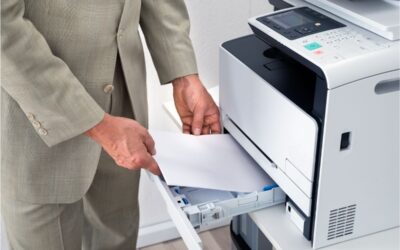

Printer leasing NYC is a smart way to keep fast-moving offices productive without high upfront costs. From Midtown to Downtown Brooklyn, the right copier and printer setup can match your printing volume, deliver high-speed output, and include service and supplies with dependable response time—so deadlines don’t slip.
Printer leasing NYC is often the simplest way to keep an office productive without sinking cash into equipment that may be the wrong fit in six months. In New York City, teams change fast—new hires, new floors, and new deadlines. The goal is simple: choose a copier and printer plan that stays flexible, stays cost-effective, and includes support you can count on when something breaks.
Why printer leasing makes sense in New York City
New York City offices rarely stay the same for long. You might add headcount, shift to a hybrid schedule, or open a satellite space in Midtown, the Financial District, Hudson Yards, Downtown Brooklyn, or Long Island City. Leasing keeps your print environment aligned with reality, instead of locking you into hardware that made sense for last year’s workflow.
It’s also a cost-effective approach. Rather than paying a large upfront bill, a lease turns equipment into a predictable monthly line item—helpful when printing volume rises and falls with client work. At the end of the term, you can upgrade rather than keep an aging device on life support.
Speed matters, too. Many NYC teams rely on high-speed output for proposals, court packets, onboarding materials, and compliance binders. When the device is slow or unreliable, people outsource rush jobs or run to a local print shop. A smart leasing partner helps you match device speed and duty cycle to real demand, so the copier and printer are not your bottleneck. Don’t ignore building logistics. In many Manhattan towers, delivery requires a COI and a reserved freight-elevator window. A local provider that handles this smoothly can save you a wasted day.
Common scenarios: from law firms to growing startups
A law firm may care most about clean text, fast scanning, and controls that protect sensitive documents. A startup may care more about flexibility and preserving cash. A finance or insurance team might prioritize secure release printing and audit-friendly workflows. Across Manhattan, Brooklyn, Queens, the Bronx, and Staten Island, the goal is the same: keep document work moving without drama.
This is where modern multifunction printers help. One device can print, copy, scan, and route files to email or folders. Consolidating can reduce clutter, simplify service and supplies, and make it easier to manage print rules across the office.
How to choose the right copier and printer for your workload
Start with your printing volume. Estimate pages per month, note peak weeks, and separate black-and-white from color. This one step prevents most lease mistakes. If you under-size the device, you pay for downtime. If you oversize it, you pay for capacity you never use.
- How many users will share the device, and are they printing all day or only in bursts?
- Do you need high-speed printing, fast first-page-out, or mostly scanning?
- Will you scan to email, to a case-management system, or to cloud storage?
- Do you need finishing, such as stapling, hole punching, or booklet output?
- What paper sizes matter (letter, legal, and occasional specialty stock)?
Next, think about connectivity and security. In many New York City offices, the printer sits on the same network as client data. Ask about user sign-in, secure print release, encryption, and how scan destinations are managed. If your building has strict IT change windows or shared Wi Fi constraints, bring those details up before install day.
Understanding copier lease pricing (and what’s included)
Many teams hear “copier lease” and assume one payment covers everything. In practice, you usually have two parts: the equipment payment and the service plan. A clear quote should separate them, explain the term length, and show what happens if you print more than expected, especially if you’re onboarding a new department or opening a second NYC location.
Service plans often use a per-page model. That can be fair, but only if it matches your real usage. Ask how overages are billed, whether rates differ for color, and if the provider will review printing volume with you during the year.
Also, confirm what “service and supplies” means. Does it include toner and drums? What about staples for finishers? Are parts and labor included? Is paper excluded (it usually is)? The details matter because they decide whether your monthly bill stays predictable.
Response time: the make-or-break factor in NYC
In a fast office, the true cost of a printer problem is not the part that failed. It’s the time lost while people wait, reroute work, or miss a deadline. That’s why response time belongs on your shortlist of questions, right next to monthly price.
Ask how support works: remote triage, on-site visits, and parts availability. Many providers talk about “same day” service, but you should confirm in writing what that means: arrival window, escalation path, and whether there’s a loaner if repairs run long. For high-volume teams, clearer service terms beat the lowest monthly price.
Short-term options for projects, pop-up spaces, and business moves
Not every office needs a 36 or 60-month agreement. If you’re in the middle of business moves, like relocating from Midtown to FiDi, building out space near Penn Station, or opening a Brooklyn project room, a short-term arrangement can keep operations stable while you finalize plans. It also works for seasonal spikes, trials, and temporary teams.
When you compare short-term programs, focus on logistics: delivery windows, building requirements, setup, and pickup. If you might expand, ask whether you can roll the short-term deal into a longer lease without penalties.
A simple checklist before you sign
- Confirm monthly printing volume assumptions (and how overages work).
- Validate that the device is truly high-speed enough for peak weeks.
- Choose between a single multifunction printer or a fleet of smaller devices.
- Clarify service and supplies: toner, parts, labor, staples, and remote monitoring.
- Get response time expectations in writing, including escalation paths.
- Review lease length, end-of-term options, and upgrade flexibility.
- Plan for installation details (networking, security settings, and user access).
Conclusion: build a print setup that can keep up
Printer leasing NYC is not just a financing choice. It’s an operations decision that affects speed, staffing, and confidence in meeting deadlines. If you size equipment to print volume, demand clear service and supplies terms, and prioritize response time, you can keep your copier and printer setup working quietly in the background—exactly how it should.
FAQ: Printer leasing in NYC
Do leases usually include service and supplies?
Sometimes. Many agreements cover parts, labor, and toner, but not all do. Confirm what’s included to keep costs predictable.
What response time should I expect in New York City?
It varies, so ask for a written on-site target window and escalation path. If print is mission-critical, negotiate support terms before pricing.
Can I get a short-term lease for a temporary office or project?
Yes. Short-term options are common for renovations, events, and business moves. Confirm delivery, setup, pickup, and extension terms.
How do I choose the right device for my printing volume?
Track monthly pages, note peak weeks, and list must-haves (scan, finishing, secure print). Then pick a model rated for that duty cycle.
What should a law firm look for in a leased copier and printer?
Fast scanning, clean text, security controls, and dependable support. For legal deadlines, uptime and response time matter most.